If you’ve ever shopped for industrial computing solutions, you’ve probably come across a BOX PC — that compact, rugged box-shaped computer built for specific use cases like kiosks, digital signage, factory automation, or smart retail. As a BOX PC supplier, one of the most common questions I get from system integrators, facility managers, and tech teams is this: “What kind of wireless connectivity do these boxes actually have, and is it enough for my application?” It’s a fair question. Wireless connectivity isn’t a one-size-fits-all feature; getting it wrong can lead to dropped connections, slow data transfers, or downtime that disrupts operations. Let’s break down exactly what BOX PC wireless connectivity entails, how it’s tailored to different use cases, and why it matters when you’re choosing the right device. BOX PC
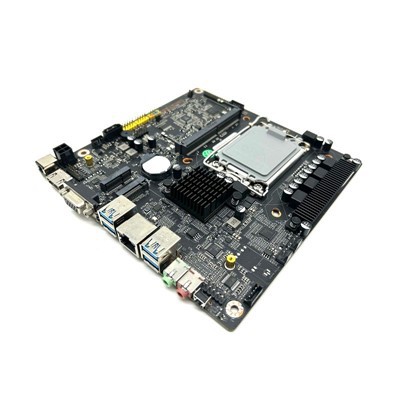
First, let’s clarify what we mean by “wireless connectivity” for BOX PCs. Unlike standard desktops or laptops that often rely on generic Wi-Fi adapters, BOX PCs are purpose-built for environments where wired Ethernet might not be ideal, or where you need flexible, reliable wireless communication for sensors, cloud platforms, or peripheral devices. The core types of wireless you’ll find in a BOX PC fall into two main categories: wide-area (WAN) wireless and local-area (LAN) wireless — plus often, short-range wireless for nearby devices. Each serves a unique role, and as a supplier, I make sure to highlight these differences because a factory floor needs different wireless than a retail digital sign or a outdoor smart camera.
Starting with local-area wireless, which is the most familiar to most people: Wi-Fi. But not all Wi-Fi is created equal for BOX PCs. Many off-the-shelf desktops use basic 2.4GHz Wi-Fi adapters, which work for casual web browsing but struggle with interference in dense, cluttered environments. Industrial BOX PCs, by contrast, almost always include dual-band Wi-Fi (2.4GHz + 5GHz) and often the latest Wi-Fi 6 or Wi-Fi 6E standards. Why? 2.4GHz has longer range and better penetration through walls, metal, or machinery — perfect for factory floors with heavy equipment that blocks signals. 5GHz, on the other hand, has less interference and faster speeds, making it ideal for high-bandwidth tasks like streaming 4K video from a digital sign or transferring large sensor data files quickly. Wi-Fi 6 is a big upgrade here too: it supports more simultaneous connections, which is critical if your BOX PC is working with dozens of IoT sensors on a shop floor, rather than just a single user’s laptop. Some higher-end BOX PCs even add Wi-Fi 6E, which uses the 6GHz band, for even less congestion — great for spaces with lots of other Wi-Fi networks, like shopping malls or office parks.
Then there’s Bluetooth, the short-range wireless standard that’s used for pairing peripherals, syncing data, or connecting to nearby devices. Again, BOX PC Bluetooth isn’t just basic Bluetooth 4.0 like you might find in a old laptop. Industrial and commercial BOX PCs often include Bluetooth 5.2 or newer, which has a longer range (up to 800 feet line of sight, compared to just a few feet for older versions) and better reliability for IoT devices like barcode scanners, wireless earpieces for kiosk staff, or even sensors mounted on distant parts of a factory line. Some BOX PCs also support Bluetooth Low Energy (BLE), a power-efficient subset that’s ideal for battery-powered sensors that need to transmit small amounts of data over time without draining their batteries. For example, a temperature sensor on a warehouse shelf might use BLE to send updates to the BOX PC every few minutes, and BLE lets that work for months or years on a single battery.
Moving to wide-area wireless, which is what lets BOX PCs connect to the internet or cloud platforms when wired Ethernet isn’t an option. This is a game-changer for outdoor applications, remote sites, or mobile setups. The main WAN wireless standard here is cellular, specifically 4G LTE and now 5G. As a supplier, I’ve seen a huge jump in demand for 5G-enabled BOX PCs over the past two years, as businesses realize they need fast, reliable connectivity even in places where there’s no fiber or Ethernet. 4G LTE is still widely used for most remote applications because it’s more affordable and has broader coverage, perfect for things like outdoor digital billboards or agricultural sensors in fields where 5G might not reach yet. 5G, though, is essential for use cases that need very low latency — like remote monitoring of industrial robots, where a half-second delay could cause a safety issue, or live streaming from a mobile event kiosk. Some BOX PCs also support multiple cellular bands, so they work in different regions around the world, which is important for companies that operate across borders. There are also LPWAN (Low-Power Wide-Area Network) options like LoRa or Sigfox, which are made for devices that need to send very small amounts of data over long distances with minimal power. That’s perfect for smart city applications, like water meter sensors or street light controls, where you don’t need a lot of bandwidth but need the connection to work for years without maintenance.
Now, it’s not just about which wireless standards a BOX PC supports — it’s about how those are integrated into the device, because that’s what makes them work reliably in tough environments. A lot of cheap BOX PCs on the market use off-the-shelf wireless adapters that are just plugged into a USB port, and that’s a recipe for problems. On a factory floor, vibration, temperature swings (from -20°C to 60°C, common in industrial settings), and dust can cause those adapters to loosen or fail over time. That’s why our BOX PCs use integrated, industrial-grade wireless modules that are soldered directly to the motherboard, so they can withstand harsh conditions. We also add features like antenna isolation — separate antennas for Wi-Fi, Bluetooth, and cellular, so they don’t interfere with each other — which is a detail that often gets overlooked but makes a huge difference in real-world performance.
Another thing to consider is wireless security, which is non-negotiable for BOX PCs that handle sensitive data, like point-of-sale systems or healthcare kiosks. Standard consumer wireless adapters often don’t support the latest security protocols, but industrial BOX PCs should have WPA3 encryption for Wi-Fi, which is more secure than the old WPA2. For cellular connectivity, they should support VPN (Virtual Private Network) connections, so your data is encrypted when it’s sent over the wide-area network, and many also have secure boot features that prevent unauthorized firmware from being loaded, which is critical for preventing cyberattacks. As a supplier, I make sure every BOX PC we ship has these security features built-in, not as an afterthought.
Let’s talk about use cases to make this concrete. If you’re running a digital signage network in a mall, you’ll want a BOX PC with Wi-Fi 6 for fast, reliable streaming of high-resolution videos and Bluetooth for connecting to touchscreens or content management peripherals. A kiosk at a retail store might also benefit from cellular backup, in case the Wi-Fi goes down — that way, transactions can keep working even if the main network has an outage. For a factory automation setup, you’ll need Wi-Fi with good penetration through metal walls, plus BLE for connecting to sensors on the production line, and maybe 4G LTE for remote monitoring if you need to check the line’s status from off-site. For a smart agriculture setup, a BOX PC with LoRa LPWAN would let you connect to soil moisture sensors across a large field, using very little power so the sensors don’t need frequent battery changes.
I’ve seen firsthand what happens when businesses choose the wrong wireless for their BOX PC. A few years ago, a manufacturing client of ours bought a cheap BOX PC for their assembly line, and it used a basic USB Wi-Fi adapter. Within three months, the adapter had come loose due to vibration, causing the BOX PC to lose connection, which shut down part of the line and cost them thousands of dollars in downtime. They switched to our industrial-grade BOX PC with integrated Wi-Fi, and they haven’t had a wireless issue since. That’s the kind of problem that small details — like how the wireless module is installed — can solve.
Another common misconception is that more wireless is always better. Some BOX PCs advertise every possible wireless standard, but that adds cost and can lead to interference if not designed well. The key is to match the wireless features to your specific needs. If you’re never going to use cellular, there’s no need to pay extra for a 5G module. If you only need to connect a few sensors, basic BLE is enough, no need for the latest 5.3 version. As a supplier, I work with each customer to assess their use case first, then recommend the right wireless configuration, instead of offering a one-size-fits-all product.
We also offer flexible options for customers who might need to add wireless later. Our BOX PCs have expandable slots for extra modules, so if you decide to add cellular or LoRa after you’ve deployed the device, you don’t have to replace the entire BOX PC — you can just swap in the new module. That’s a big plus for businesses that are scaling their operations and might not know exactly what wireless features they’ll need down the line.
Now, let’s talk about what to look for when evaluating a BOX PC’s wireless connectivity, beyond just the standards. First, check the operating temperature rating. Industrial BOX PCs are designed to work in a wide temperature range, so make sure the wireless modules are rated for that — consumer adapters often only work in room temperature, which will fail in extreme cold or heat. Second, look at antenna options: some BOX PCs have internal antennas, which are good for compact designs, but external, high-gain antennas are better for long-range or difficult environments like outdoor use. Third, check the power consumption: if your BOX PC is running on battery power (like a mobile kiosk), the wireless modules shouldn’t use too much energy, otherwise the battery life will be short. Fourth, verify the security features — WPA3, VPN support, and secure boot are must-haves for any application that handles sensitive data.
At the end of the day, wireless connectivity for a BOX PC isn’t just a spec to check off a list. It’s a critical component that determines how reliable your system will be, how much downtime you’ll face, and whether it can keep up with your business’s needs. Whether you’re deploying a single kiosk or a network of 100 industrial devices, taking the time to understand the wireless options will help you choose a BOX PC that works for you, not against you.

If you’re in the market for a BOX PC and want to talk through the wireless requirements for your specific application, we’re here to help. We’ve worked with businesses across industries to design custom wireless configurations, and we can walk you through what will work best for your use case, budget, and environment. Reach out to our team to start a conversation about your project.
OPS PC References
- Industrial Computing Society. (2023). Wireless Connectivity Requirements for Industrial IoT Devices.
- Wi-Fi Alliance. (2022). Wi-Fi 6 and Wi-Fi 6E: Overview for Commercial and Industrial Applications.
- Cellular Telecommunications Industry Association. (2024). 5G and 4G LTE Deployment in Edge Computing Solutions.
- Bluetooth Special Interest Group. (2023). Bluetooth 5.2 and BLE Use Cases for Industrial and Commercial Devices.
- LoRa Alliance. (2022). LPWAN for Smart City and Agricultural Applications.
Shenzhen HJS Technology Group
Shenzhen HJS Technology Group is one of the most experienced box pc manufacturers and suppliers in China, featured by quality products and good service. Please rest assured to buy CE approved box pc made in China here from our factory. For price consultation, contact us.
Address: F10, Wanhe Technology Building C, No. 7 HuiTong Road, Fenghuang Street, Guangming New District, Shenzhen. China.
E-mail: info@hjs-pc.com
WebSite: https://www.hjs-pc.com/
